Q&A

About HILLS APP About membership registration and HILLS ID About linking HILLS ID to HILLS CARD Mastercard About loss, theft, and other issues with HILLS CARD Mastercard About membership application and change procedures About Hills Points and exchange benefits About the HILLS CARD Mastercard credit function About email newsletters Card-related contact information

Linking HILLS ID and HILLS CARD Mastercard

I use HILLS APP, but what will happen to HILLS CARD Mastercard?

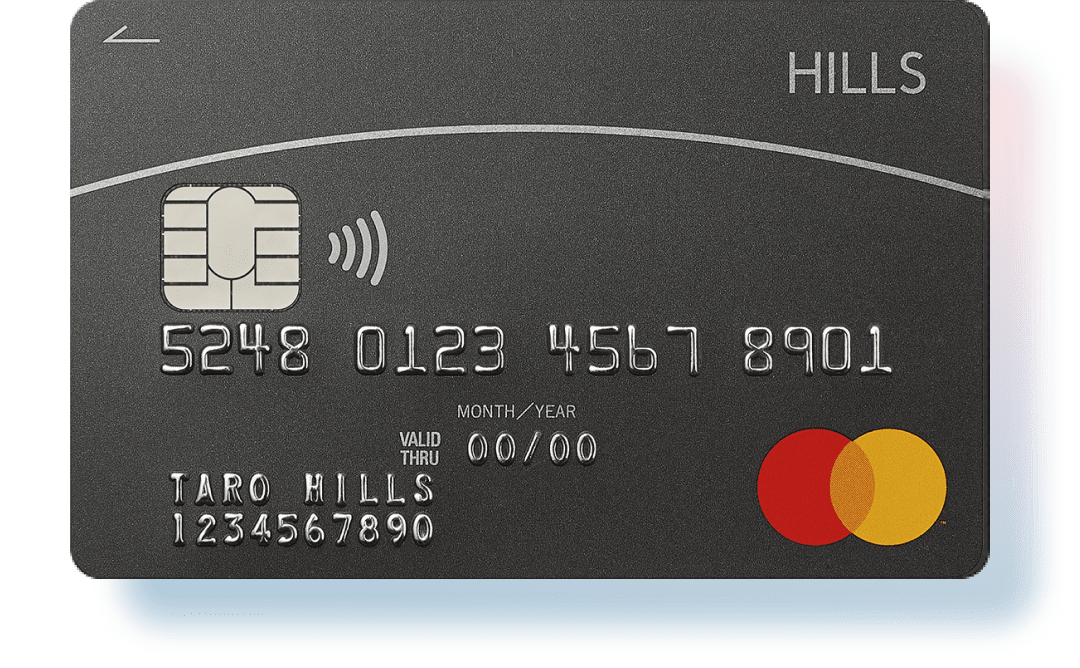
On the menu screen of the HILLS APP, tap “Register your HILLS CARD” and enter the 10-digit HILLS CARD number shown at the bottom of the card on the front side.
Your existing Hills Points and annual purchase total will be added to the HILLS APP.
Linking your HILLS ID and HILLS CARD >

I registered my HILLS CARD Mastercard on HILLS APP, but a different HILLS CARD Mastercard HILLS CARD number is displayed than the one I have. Is this okay?

This is not a problem.

On HILLS APP, even after registering HILLS CARD Mastercard, HILLS CARD number (a 10-digit number starting with 8) for HILLS APP will be displayed.

You can continue to use your existing HILLS CARD Mastercard as usual.


After registering HILLS CARD Mastercard, if your accumulated Hills Points and the amount of purchases made this year are displayed in HILLS APP, then the integration has been successful and there is no problem.


If your accumulated Hills Points are not displayed on HILLS APP, please contact HILLS APP/HILLS CARD Customer Center (03-6406-6410 / 10:00-18:00, open every day).

I cannot register HILLS CARD Mastercard through either the "Register your HILLS CARD" option on HILLS APP or the "Link HILLS CARD" option on the website.

please contact the HILLS APP/HILLS CARD Customer Center (03-6406-6410; open from 10:00 am through 6:00 pm year-round)

When I try to register HILLS CARD Mastercard on HILLS APP, I get a message saying "Linking is not possible because your personal information does not match." I don't know what the mismatch is.

If the personal information registered on HILLS CARD Mastercard does not match the personal information registered on HILLS APP, the cards cannot be linked.

Examples of reasons why you cannot register a card:
・ The name registered on your card is your maiden name or the Kanji characters used are different.
・ The contact information registered for your card is different or contact information is not registered.

Please amend the member information so that the registered personal information matches.

In the event that you attempt to unsuccessfully link your card multiple times with the app, the app will be locked. If you have any questions, please contact the HILLS APP/HILLS CARD Customer Center (03-6406-6410; open from 10:00 am through 6:00 pm year-round).

Is there a way to check if my HILLS CARD Mastercard is registered to HILLS APP?

On the HILLS APP menu screen, check whether “Register your HILLS CARD” is displayed.

If you see this message, your HILLS CARD is not registered with the HILLS APP. If you do not see this message, your HILLS CARD is already registered with the app.
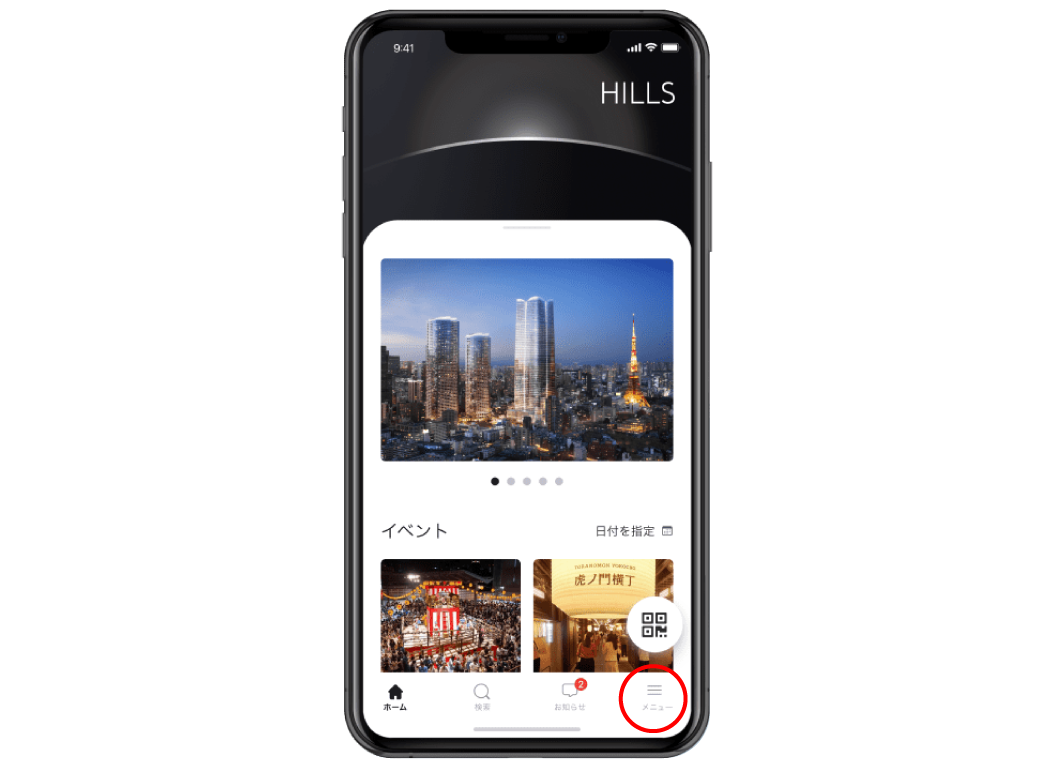
(1) Open “Menu”at the bottom right of the HILLS APP screen
(2) When "Register your HILLS CARD" is displayed ▼⇒ Your card is not registered
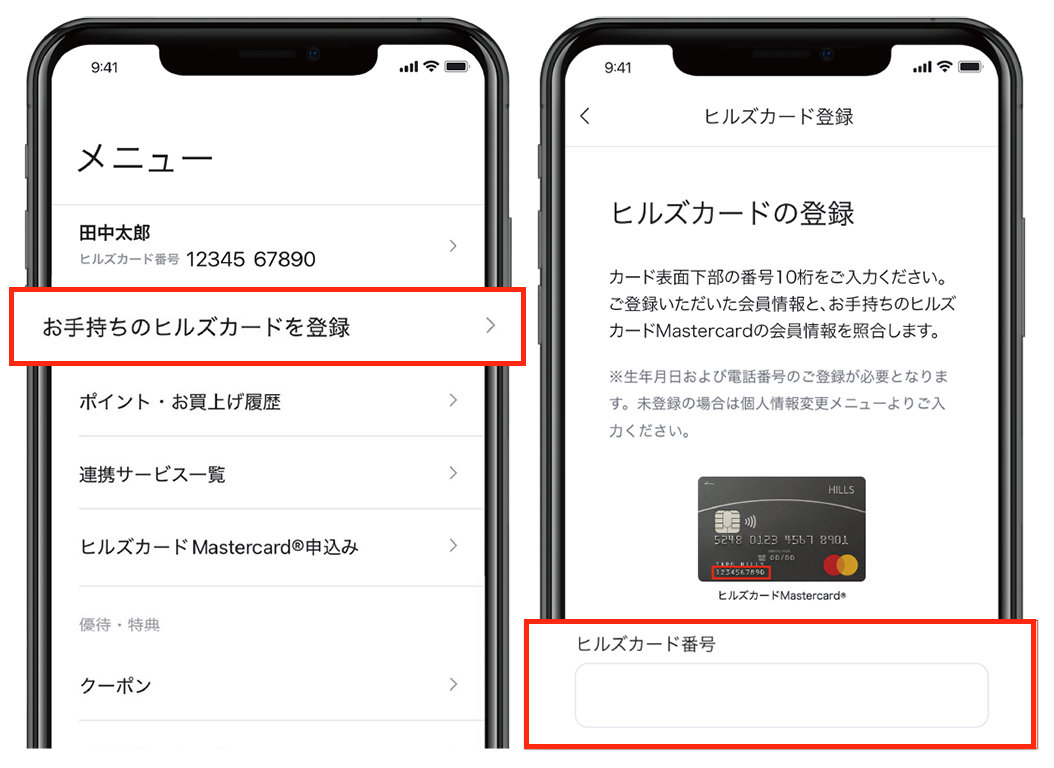

You can register by tapping "Register your HILLS CARD" and entering HILLS CARD number (10 digits at the bottom of the card face).

Your existing HILLS Points and annual purchase amount will be added to the HILLS APP. Also, your Premium Stage status and other information for this year will be reflected in the HILLS APP.


▼ Not shown:  ⇒ Your card is already registered


INQUIRIES

If you have any questions, please contact us using the inquiry form or by phone.

HILLS APP / HILLS CARDInquiries about

HILLS APP/HILLS CARD Customer Center

03-6406-6410

Open all year round 10:00-18:00

HILLS CARD MastercardInquiries about

HILLS CARD Mastercard Dedicated Desk

0120-156-290

9:30-17:30 (excluding Sundays and New Year holidays)(Lost and stolen reception is 24 hours)

Back to top